
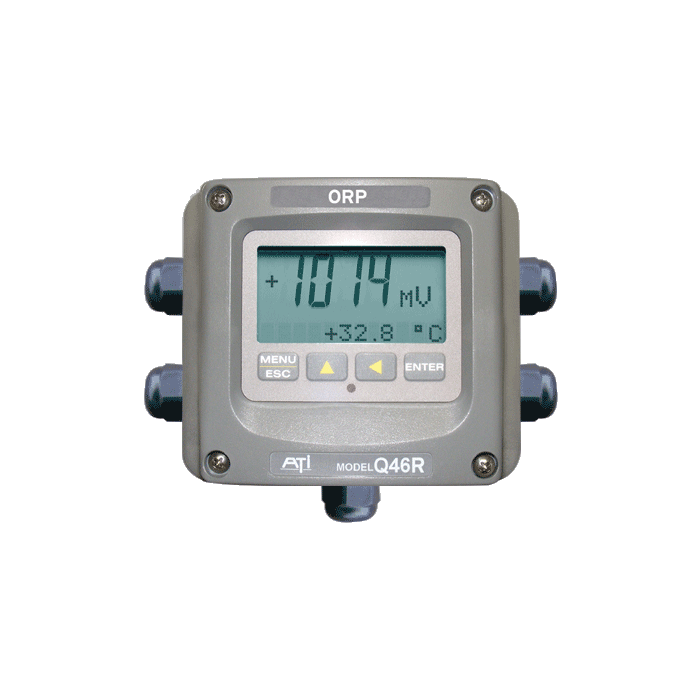
Calibrating the Q46 and Q45 dissolved ozone sensors is crucial for maintaining accurate readings. Though calibration is similar across both models, we’ll guide you through each step to ensure your sensor is properly set. You can also follow along with our video tutorial for a visual reference.
Step 1: Verify the Dissolved Ozone Level
Before calibrating, confirm the current dissolved ozone level in your system. This benchmark will guide you in setting the sensor correctly.
Step 2: Access the Calibration Menu
From the sensor’s main menu, navigate to the calibration option:
- Enter the Calibration Menu: Press “Enter” to begin.
- Select Calibration Type: You’ll see two options: “Reference” and “Zero.”
- Zero Calibration: Use this only if the sensor has been consistently reading zero or if you know there’s zero dissolved ozone in the water. This is generally less common.
- Reference Calibration: This will be the primary method for adjusting the sensor to match a known reference point.
Step 3: Calibrate the Reference
For most applications, calibrating the reference level is the focus:
- Select Reference and Wait for Stabilization: After pressing “Enter” on the reference option, allow the dissolved ozone level to stabilize. Calibration should only be done when the reading has reached a steady point.
- Adjust the Value: Once the reading stabilizes, use the “Over” button to navigate between digits, and the “Up” button to increase values. Adjust the reading to match your verified ozone level (e.g., 2.0 ppm).
- Confirm Calibration: When the display reads close to your target, press “Enter.” For example, if you’re calibrating to 2.0 ppm, aim for a similar reading, such as 2.01 ppm, for precision.
Step 4: Review the Slope
After confirming the calibration, the display shows your slope value, which indicates the sensor’s accuracy relative to its original factory settings (typically 100%).
- Interpreting the Slope: If you see the slope significantly diverging from 100%, it might indicate the need to replace the sensor’s electrolyte solution and membrane. These replacements can bring the sensor back to optimal calibration.
What’s Next?
If your slope is too far from the factory standard, it may be time for some maintenance. To learn more about replacing the electrolyte solution and membrane, refer to our article on electrolyte replacement and the video guide.
For more technical details on the sensors themselves, you can visit our product pages for the Q45 and Q46 models. Happy calibrating!